

Chain Access Controls & Permissioning
Manage your chain’s public RPC by configuring permissions across different security dimensions. To manage these settings go to your Chains’s Dashboard → select Settings from the sidebar → and click the Access controls tab.
Access Control Lists (ACLs)
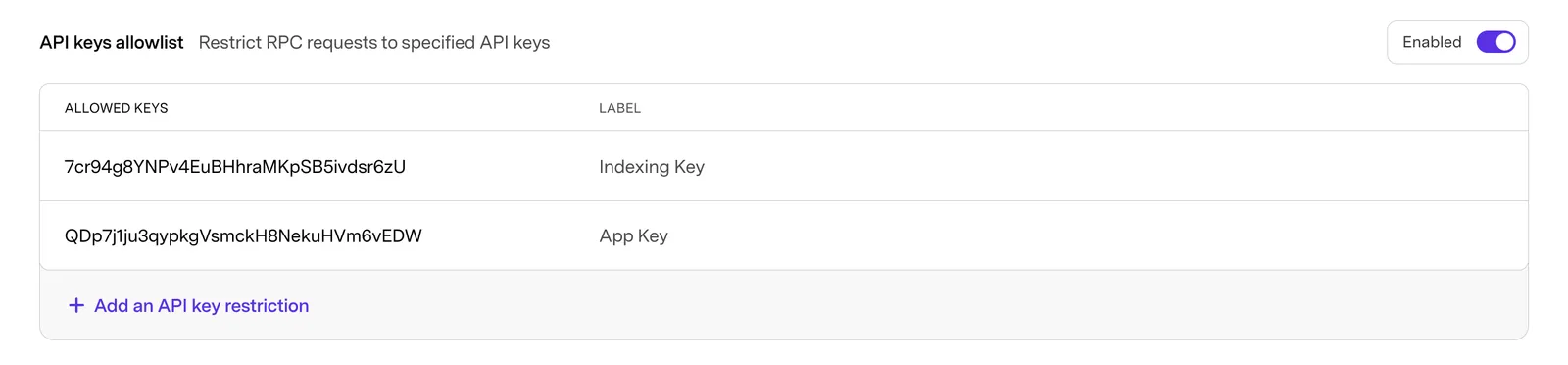
Restrict Access to API keys
Limit access to your public RPC by allowing requests only from specified API keys. The API keys allowlist can be enabled and disabled individually, when disabled the RPC can be accessed by all traffic, keyed and un-keyed.
Lock-down the RPC
You can fully restrict access to your chain by enabling the API keys allowlist with no set API key restrictions.

Restrict direct contract-creation transactions to EOAs
Limit direct contract-creation transactions on your chain to specified EOAs. The RPC contract-creation allowlist can be enabled and disabled individually; when disabled, contracts can be deployed on the chain by all addresses.
What this does — blocks RPC-submitted txs where to is empty and from is not on the list.
What this does not do — explicitly enumerate the bypasses (factory deploys via CREATE/CREATE2, L1→L2 messages / forced inclusion, anything not transiting the public sequencer RPC).
When to use it — convenience filter for reducing accidental or casual deploys from unapproved EOAs; not a security or compliance control.

Bulk edits
Both sections allow for bulk edits by copying a csv format to your clipboard, and pasting into the first text field. Your CSV should follow the format:
Note: Do not include a header in the CSV or that will also be pasted into the first input