

Verify contracts with Sourcify
Conduit runs a hosted Sourcify instance at contracts.conduit.xyz. It speaks the same API as the public Sourcify server, so you can verify contracts with the same tooling—Foundry, Hardhat, the Sourcify UI, or direct API calls.
The main difference: Conduit’s server automatically supports every Conduit chain. You don’t need to submit chain metadata to the Sourcify chains repository before verifying—Conduit recognizes newly launched chains immediately.
Verified contracts show source code and ABIs in Conduit Explorer, making it easier for users to read and interact with your contracts.
Verify with Foundry
The easiest way to verify a contract is to pass --verifier sourcify and Conduit’s verifier URL to Foundry. The chain ID is auto-detected from your RPC URL.
You can either set the verifier URL with an environment variable:
Or pass --verifier-url https://contracts.conduit.xyz directly.
Verify during deployment
Deploy and verify in a single command:
Verify an already-deployed contract
Use forge verify-contract for contracts that are already on-chain:
Make sure the compiler settings (version, optimizer, EVM version) match the ones you used at deploy time.
For more verification flags, see the Sourcify Foundry guide and the Foundry deployment docs.
Verify with Hardhat
Add Sourcify verification to your hardhat.config.ts using @nomicfoundation/hardhat-verify:
Then verify:
Verify with the Sourcify UI
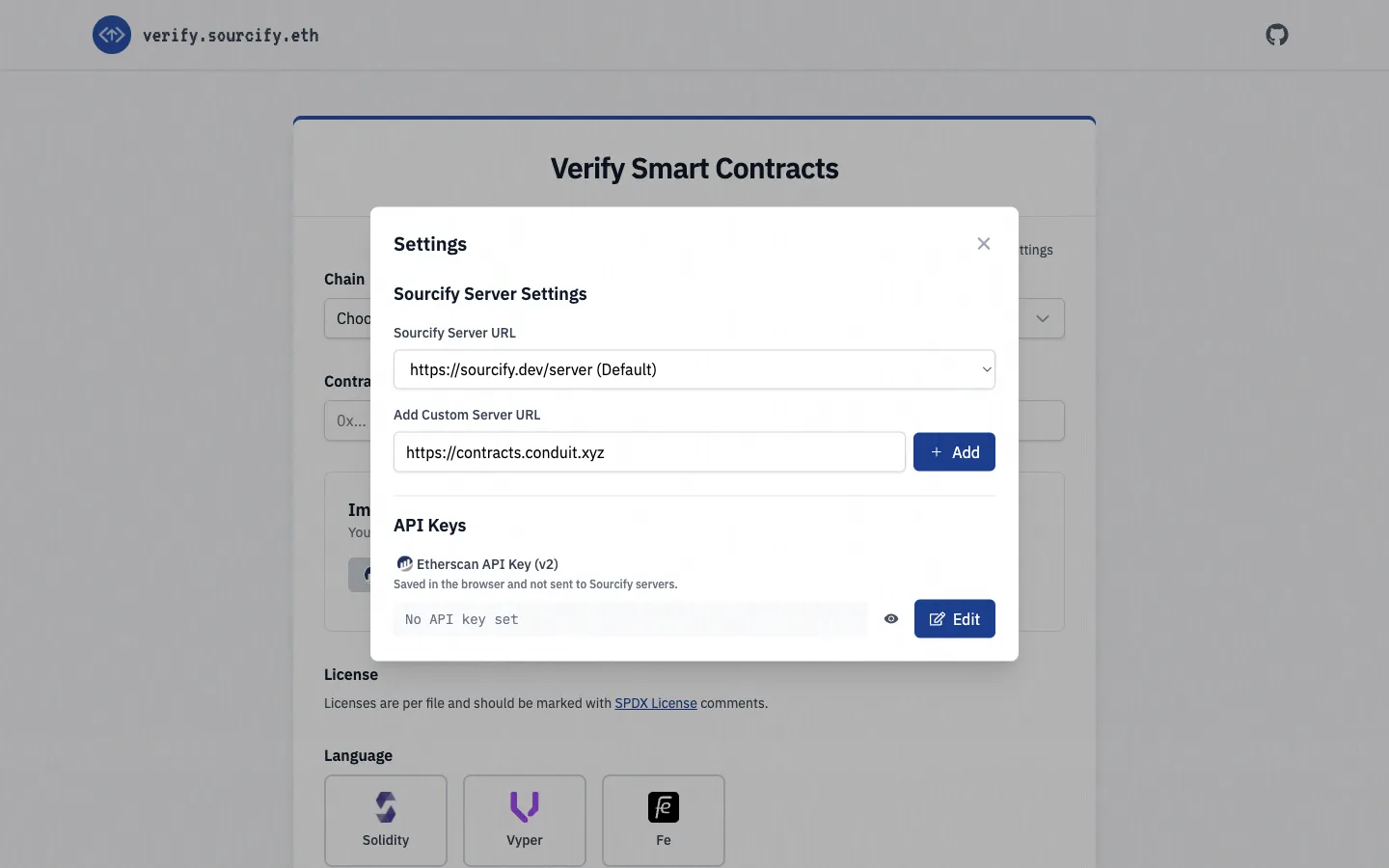
The hosted Sourcify Verify UI can point at any Sourcify-compatible server. To use it with Conduit:
- Open verify.sourcify.dev.
- Click the Settings (gear) icon in the top right.
- Under Add Custom Server URL, enter
https://contracts.conduit.xyzand click Add. - Select the new entry from the Sourcify Server URL dropdown.
- Pick your Conduit chain, paste the contract address, and upload your sources or metadata.
Once verification completes, the contract is available on both the Sourcify server and Conduit Explorer for your chain.
Troubleshooting
If verification fails, double-check that:
- Compiler version matches the deploy-time version, including the commit hash (for example,
0.8.20+commit.a1b79de6). - Optimizer settings (enabled and runs) match deployment.
- EVM version matches what was used at deployment.
- All imported sources are included in the verification request.
- Contract identifier uses the
path/to/Contract.sol:ContractNameformat.