Bridge CGT (Arbitrum)
This guide walks you through depositing the CGT token from Ethereum (L1) to your Arbitrum rollup (L2).
Prerequisites
- L1 RPC URL (for example, Ethereum Sepolia)
- Private key with enough ETH for gas on L1
TOKEN_ADDRESS: CGT token address on L1INBOX_ADDRESS: Find this on the rollup contracts page as the “Inbox” or fetch it from api.conduit.xyz/file/v1/arbitrum/core/your-network-slug
Only CGT rollups exposes ERC20 deposit functions directly on the Inbox.
Option A: Direct deposit via Inbox programmatically
Deposit CGT by calling your rollup’s Inbox contract directly from the command line.
Option B: Direct deposit via inbox on Etherscan
Use Etherscan to approve and deposit without writing code.
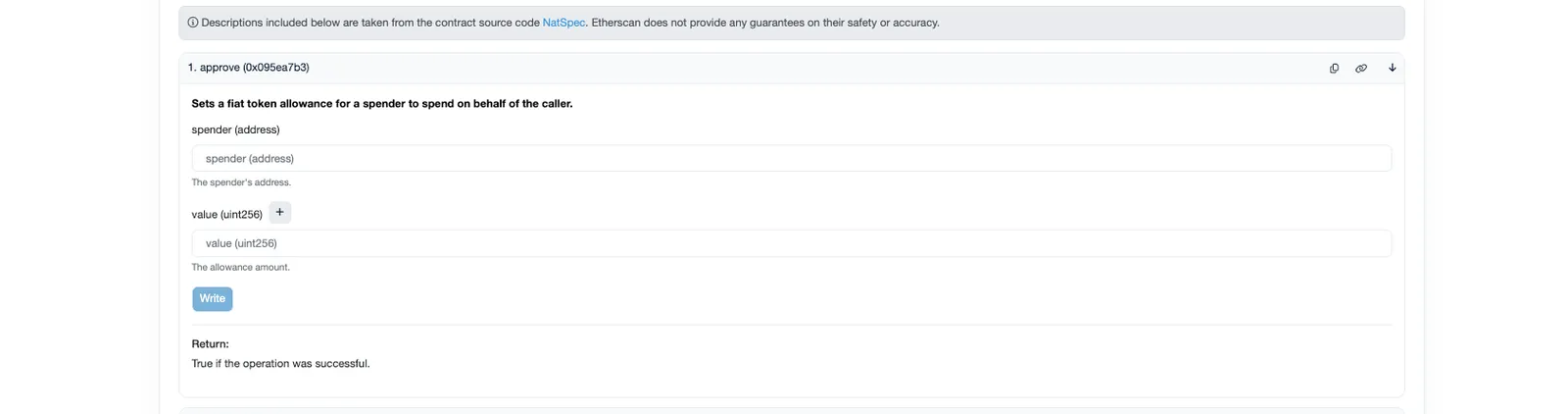
Approve CGT to the Inbox
- Open your CGT token on Etherscan (L1), go to
Contract→Write Contract. - Connect your wallet with
Connect to Web3. - Find
approveand setspenderto yourINBOX_ADDRESS,amountto the desired deposit amount (in wei).