

Access Control & Settings
Manage your API key access by configuring permissions across different security dimensions. To manage these settings, go to Nodes Dashboard → select the API key you want to configure → click Access controls tab at the top. To require signed requests in addition to the API key, set up JSON Web Token (JWT) authentication from the Authentication tab.
Access Control Lists (ACLs)
Restrict Access to Networks
Limit your API key to only specified networks. By default, an API key works with all public and private networks on Conduit. To restrict access for your key to select networks, configure them individually.

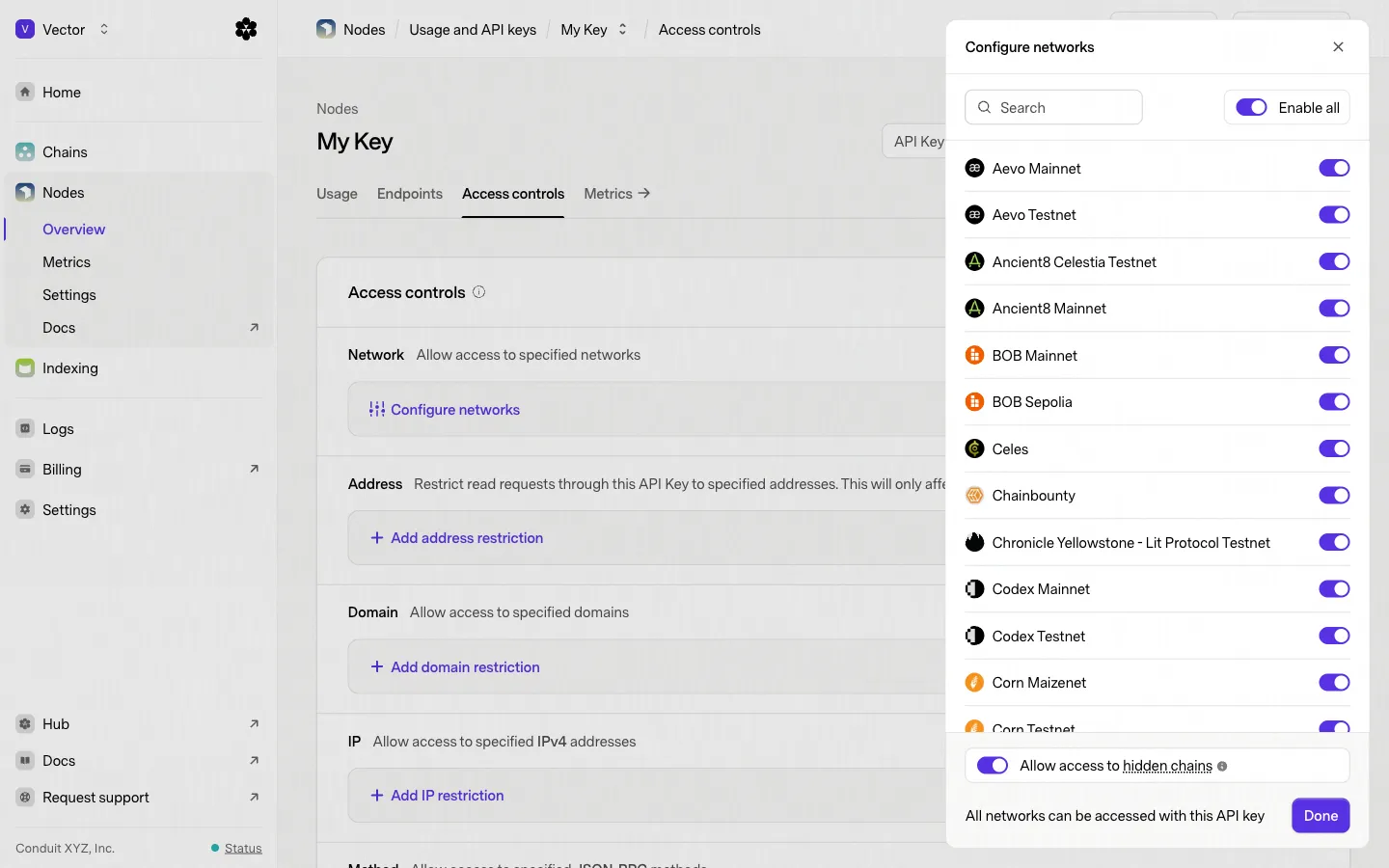
Click Configure networks to open a sidebar to toggle each network on or off.
Note: By default API keys can access hidden networks, if you wish to block all hidden networks and restrict to only specified networks, click the toggle Allow access to hidden chains in the sidebar
Restrict Access to Addresses
Limit read requests to specific addresses. This will only affect the following methods: eth_call, eth_getBalance, eth_getTransactionCount, eth_getCode, eth_getStorageAt, eth_getLogs, eth_newFilter, eth_subscribe. Other read methods can still be called on addresses that are not whitelisted.

Restrict Access to Domains
Allow read and write requests only from specified domains. Wildcard domains are also supported; e.g. *.zora.co

Restrict Access to IPs
Limit access to your keys by allowing read and write requests only from specific IPv4 addresses. CIDR notation is also supported; e.g. 10.10.0.0/16.

Restrict Access to JSON-RPC Methods
Control which JSON-RPC methods can be accessed through your API key. This allows you to limit the functionality available to your applications by specifying only the methods they need.

Key Management
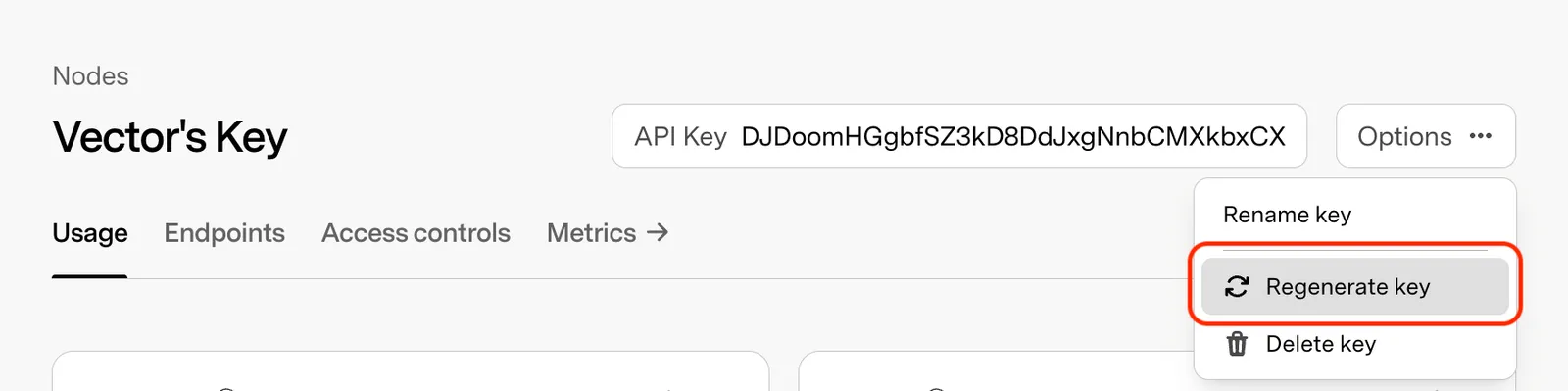
Regenerate a Key
Generates a new key string while preserving existing settings and network configurations. Previous key becomes invalid once regenerated.
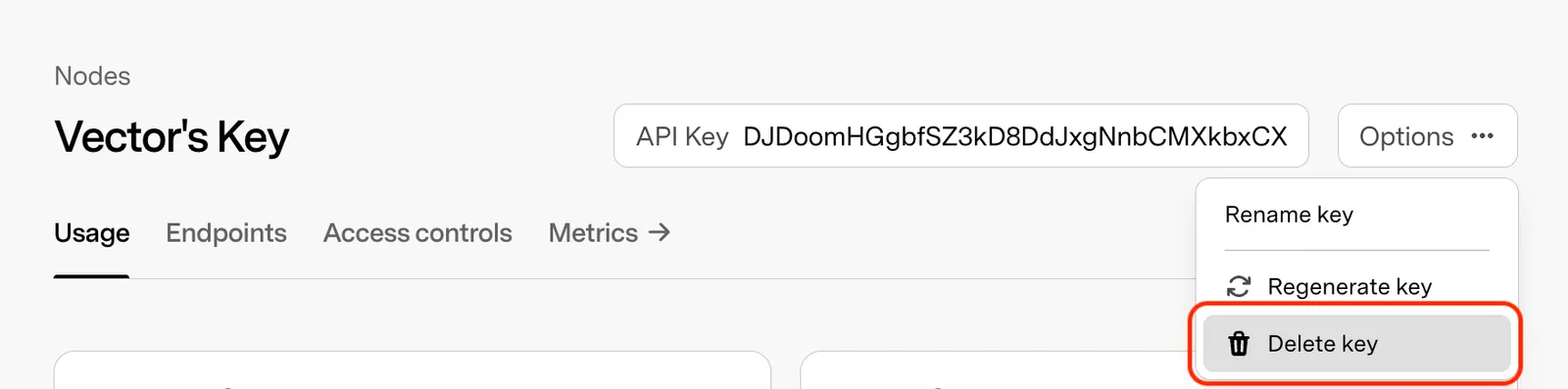
Delete a Key
Permanently removes the API key and prevents all future client access.
FAQ
What is the default behavior for traffic?
By default, if no restrictions are specified, all traffic is allowed. This means that any incoming traffic will be accepted unless you configure specific rules.
How does access work after adding restrictions?
Once you specify any restrictions, the system switches to a “deny-all-except-allowed” model. This means that all traffic is blocked by default, and only the traffic explicitly allowed in your Access Control Lists (ACLs) will be permitted.
Do restrictions in one Access Control category affect others?
No, each Access Control category (such as domains, addresses, etc.) operates independently. For example, if you specify restrictions for IP addresses but leave domain restrictions unspecified, all domains will remain accessible, while only the specified IP addresses will be allowed access.
How are Access Control Lists applied?
ACLs are applied per API key. If no restrictions are set for a specific category (e.g., domains or addresses), the default behavior allows all traffic in that category.
When do changes to Access Control settings take effect?
Once you save your changes, there is a delay of approximately 5 minutes before the new settings are applied. Please ensure that you save your changes for them to take effect.